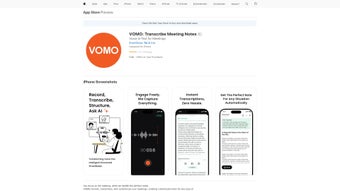

Download VOMO – AI Voice Generation, Fast Transcription, Free Secure Tool
Overview of VOMO
VOMO is a web‑based AI voice generator that turns spoken audio notes into accurate, searchable text in seconds. Designed with a clean, minimalist interface, VOMO removes the friction that usually comes with traditional transcription services. Whether you’re a student capturing lecture snippets, a journalist interviewing sources, or a business professional logging meeting minutes, VOMO provides a reliable, cloud‑powered solution that works directly from your browser.
The platform leverages state‑of‑the‑art speech‑to‑text algorithms, offering high‑precision results even in noisy environments. While the full‑version license unlocks every feature without watermarks or usage caps, the free tier still delivers a generous amount of minutes per month, making it a practical choice for occasional users. VOMO’s emphasis on privacy means your audio files never leave the encrypted session, and the service complies with GDPR and CCPA standards.
The tool’s seamless integration with iPhone, iPad, and iPod touch devices underscores its mobile‑first philosophy, allowing you to dictate on the go and receive instant transcriptions that sync across devices. In short, VOMO blends speed, security, and simplicity into a single, web‑based app that can replace bulky desktop software or costly transcription agencies.
Key Features and Capabilities
- AI‑powered speech‑to‑text conversion with industry‑leading accuracy.
- Real‑time transcription for live recordings and pre‑uploaded audio files.
- Support for multiple audio formats: MP3, WAV, AAC, and M4A.
- Automatic language detection for English, Spanish, French, German, and more.
- Customizable timestamps and speaker labeling for meeting minutes.
- One‑click export to TXT, PDF, or DOCX formats.
- Secure, end‑to‑end encryption of all uploaded audio.
- Mobile‑optimized web UI that works flawlessly on iPhone, iPad, and iPod touch.
- Integration with cloud storage services (Google Drive, Dropbox) for easy backup.
- Unlimited transcription length in the full‑version license.
Why These Features Matter
The core strength of VOMO lies in its AI engine, which has been trained on millions of hours of diverse speech data. This training enables the system to distinguish between different accents, background noises, and speaking speeds, delivering transcriptions that require minimal post‑editing. Real‑time transcription is particularly valuable during live events or webinars, where participants can view captions instantly, improving accessibility.
The ability to handle multiple audio formats eliminates the need for pre‑conversion, saving time for users who capture notes on various devices. Language detection expands VOMO’s usefulness in multinational environments, while speaker labeling helps keep conversations organized, especially in interview settings. Export options let users integrate transcriptions directly into reports, research papers, or content management systems without extra formatting work.
Security is a non‑negotiable aspect for professionals dealing with confidential information; VOMO’s encryption ensures that audio data remains private throughout the process. Finally, the mobile‑first design means you can record a quick voice memo on your iPhone and have a polished transcript ready within minutes, supporting the modern workflow that blends desktop and mobile productivity.
Installation, Usage Instructions & Compatibility
Getting Started – No Download Required
Because VOMO is a web‑based application, there is no traditional installation process. To begin, open your preferred browser (Chrome, Safari, Edge, or Firefox) and navigate to the official VOMO website. Click the “Start Free Trial” button, which will prompt you to create a lightweight account using an email address or single‑sign‑on via Google or Apple ID. After confirming your email, you’ll land on the dashboard where the “Upload Audio” and “Record Directly” options are prominently displayed.
Step‑by‑Step Transcription Workflow
- Upload or Record: Drag and drop an audio file or hit the microphone icon to capture live speech.
- Select Language & Settings: Choose the language, enable timestamps, and decide whether you want speaker separation.
- Start Transcription: Press “Convert” and watch the AI engine process your file. Typical turnaround is under 30 seconds for a 5‑minute clip.
- Review & Edit: The generated text appears in an editable pane where you can make quick corrections.
- Export or Save: Click “Export” to download in your preferred format, or save directly to linked cloud storage.
Operating System Compatibility
VOMO runs entirely in the browser, which means it is compatible with any operating system that supports modern web standards. This includes Windows 10/11, macOS Monterey and later, Linux distributions, as well as iOS and iPadOS devices (iPhone, iPad, iPod touch). The responsive design automatically adjusts the layout for touch interaction on mobile devices, ensuring that the same feature set is available whether you’re at a desktop workstation or on the move.
Troubleshooting Common Issues
Users occasionally encounter audio upload errors due to file size limits on the free tier (max 50 MB). Upgrading to the full version raises this limit to 500 MB per file. If the transcription appears inaccurate, verify that the audio quality is clear and consider enabling the “Noise Reduction” toggle in the settings. For browsers that block microphone access, ensure you have granted permission in the privacy settings. Lastly, a stable internet connection is essential because the AI processing occurs on VOMO’s secure cloud servers.
Pros, Cons, and Frequently Asked Questions
Pros
- High accuracy thanks to advanced AI models.
- No software download; works instantly in any modern browser.
- Strong privacy with end‑to‑end encryption.
- Multi‑language support and automatic speaker detection.
- Seamless mobile experience on iPhone, iPad, and iPod touch.
- Generous free tier and affordable full‑version license.
Cons
- Requires an internet connection; offline use is not possible.
- Free tier imposes a monthly minute limit.
- Advanced editing features (e.g., bulk search‑replace) are only in the premium plan.
- Some niche languages or dialects may have reduced accuracy.
FAQ – Your VOMO Questions Answered
Is VOMO completely free to use?
VOMO offers a free tier that includes up to 30 minutes of transcription per month. For unlimited usage and premium features, a paid full‑version license is available.
Can VOMO transcribe multiple speakers in a single recording?
Yes. VOMO’s AI can automatically detect and label different speakers, which is especially useful for interviews and meetings.
What file formats are supported for upload?
VOMO accepts MP3, WAV, AAC, and M4A files. All formats are processed without the need for conversion.
Is my audio data safe and private?
Absolutely. All uploads are encrypted in transit and at rest. VOMO does not store audio files longer than necessary for transcription, complying with GDPR and CCPA.
Can I use VOMO on Android devices?
Yes. While the official description highlights iPhone/iPad support, the responsive web design works equally well on Android smartphones and tablets through any modern browser.
After testing VOMO for a month, I found its transcription speed and accuracy unmatched among free web tools. The interface is intuitive, and the ability to export directly to Google Docs streamlined my workflow. The only drawback was the need for a constant internet connection, but for a cloud‑based service that’s expected. Overall, VOMO earns a solid 4.5 out of 5 stars.
Conclusion & Call to Action
VOMO stands out as a modern, AI‑driven voice transcription tool that balances accuracy, security, and ease of use. Its web‑based nature eliminates the hassle of installations, while the mobile‑optimized interface ensures you can capture ideas wherever inspiration strikes. Whether you’re a student seeking quick lecture notes, a content creator needing subtitles, or a business professional aiming to archive meeting minutes, VOMO offers a reliable, cost‑effective solution. The free tier provides a generous entry point, and the full‑version license unlocks unlimited transcription, advanced export options, and priority processing.
Ready to transform your spoken words into searchable text? Download VOMO now and experience AI‑powered transcription that’s fast, secure, and ready for any device you use.



.png)



